
To filter your Prospect/Property Records that have and have not been Pushed to a Campaign, proceed with the following steps:
1. Navigate over to the PropStack™ tab of your account

2. Locate the Filtering tab within PropStack™
3. Scroll down the Filters column to Additional Filters
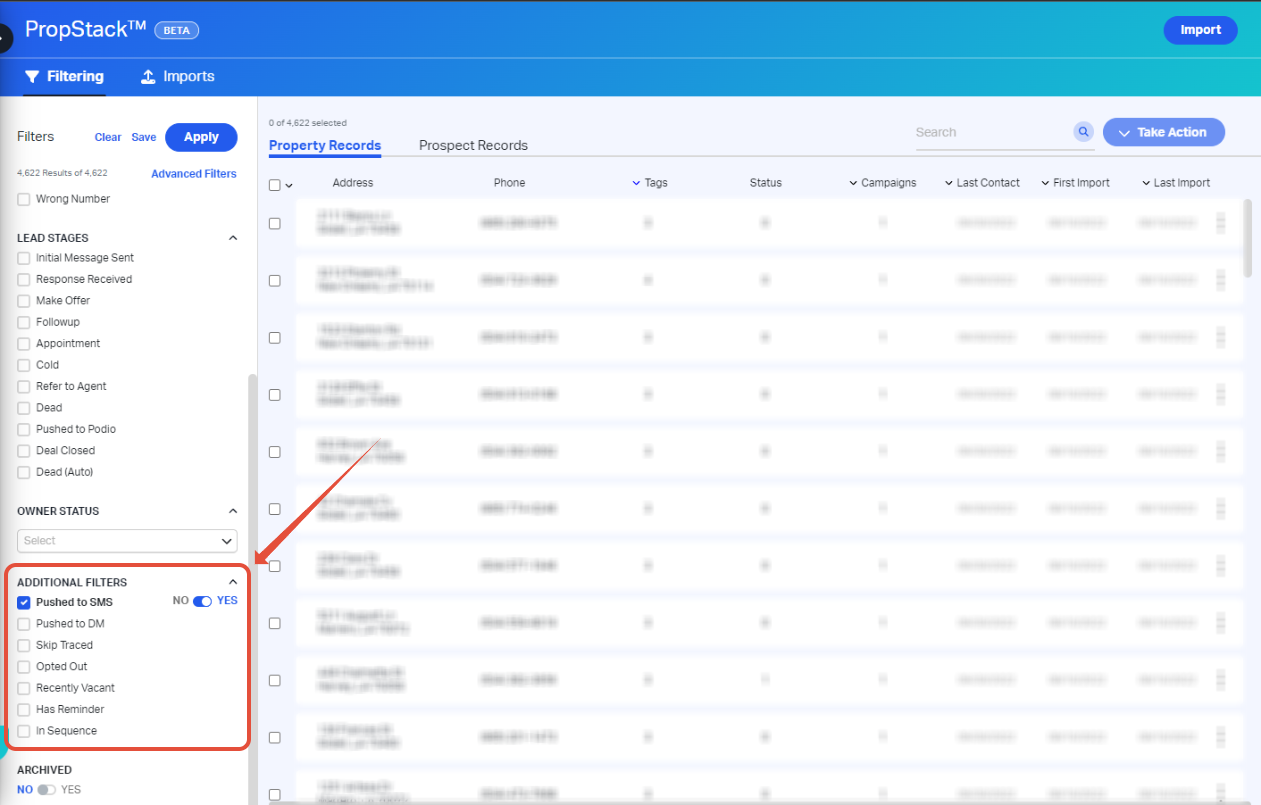
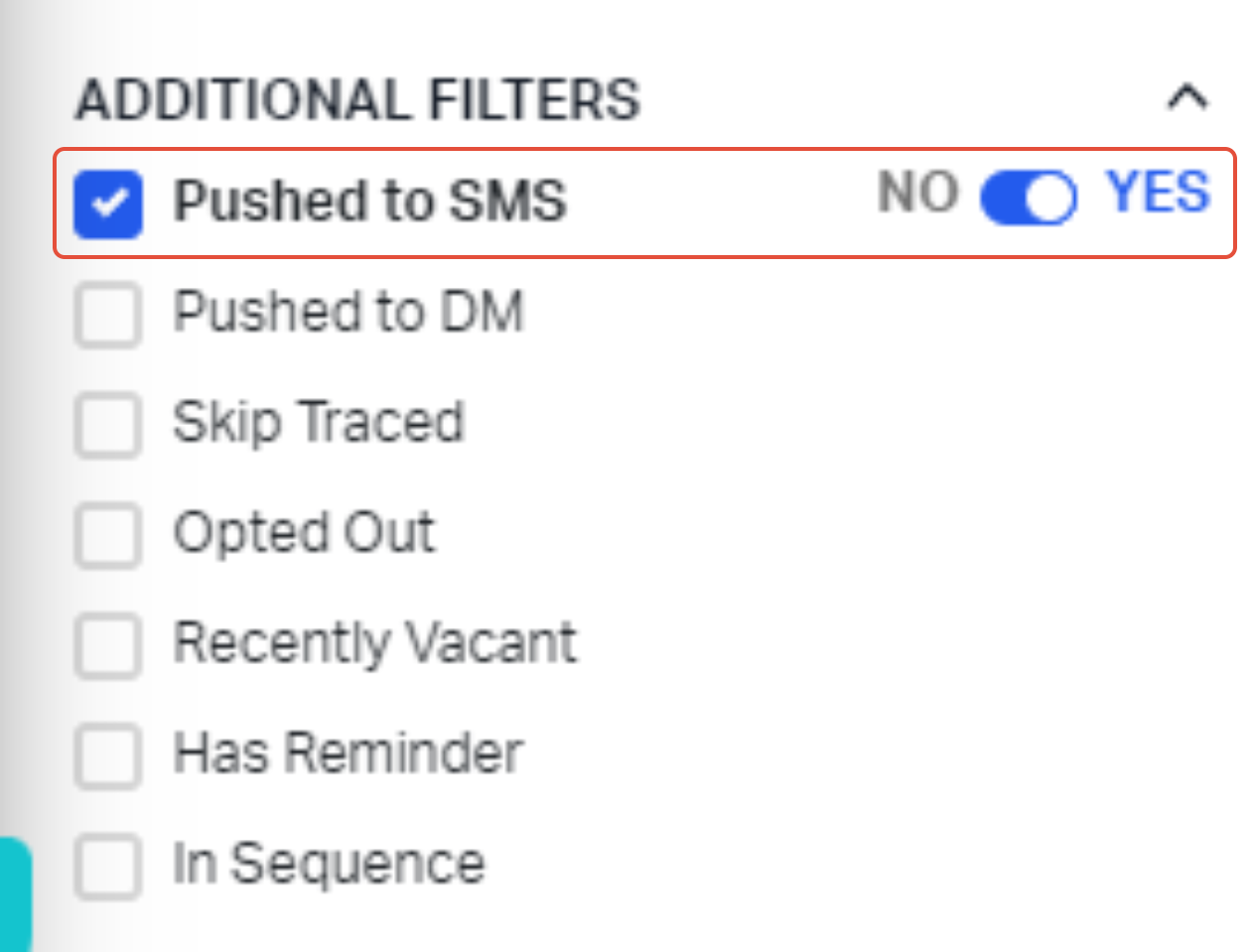
4. Click Pushed to SMS and select the "Yes/No" applicable to your records
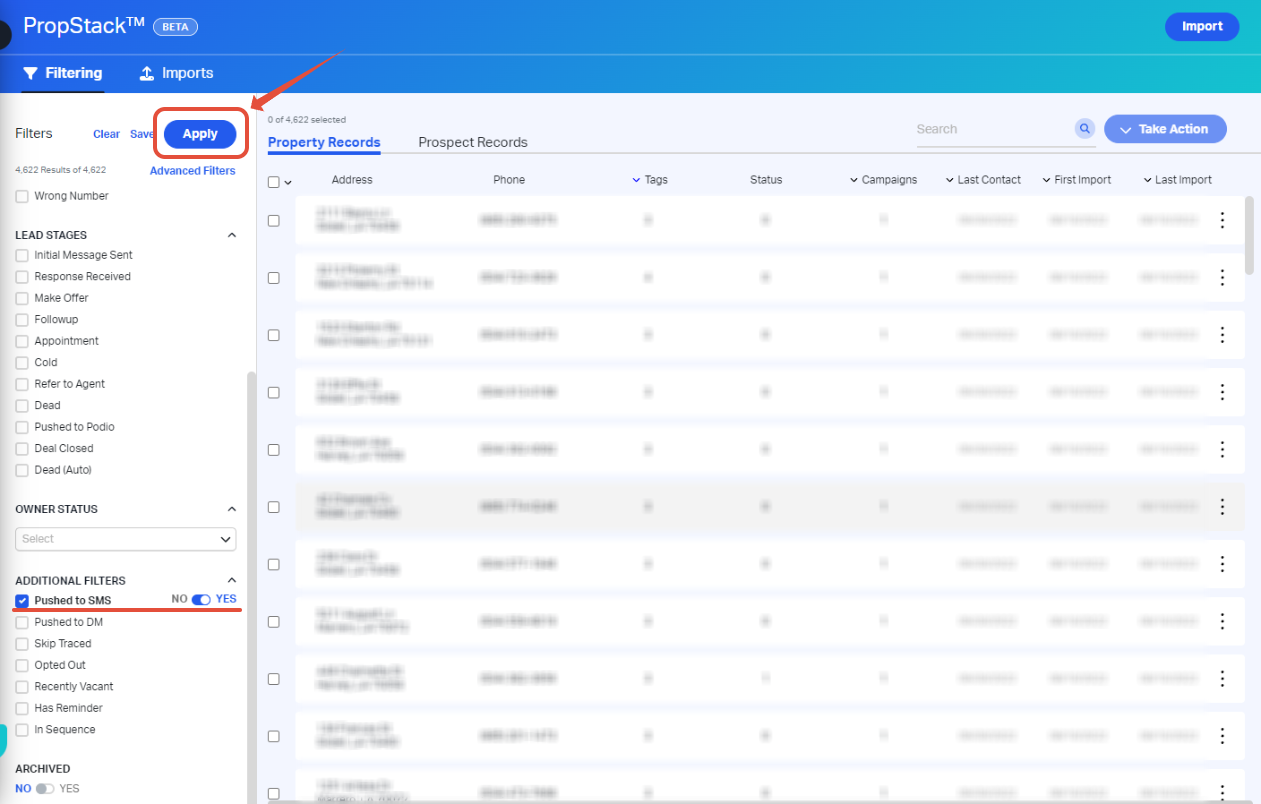
5. Confirm your selected filters and click Apply
Comments
Article is closed for comments.