
This article explains the differences between Owner Statuses in PropStack™ and how to use the filter functions.
Owner Statuses
Verified Owner: Denotes that the given prospect is the owner of the property. This status is assigned once the "Verified" button is pushed on the prospect page.
Non Owner: Denotes the other prospects which belong to a property that was previously verified.
- Ex: 123 Main St possesses Prospects A, B, and C. When you mark Prospect A as the Verified Owner, Prospects B and C become "non-owners".
Owner Not Found: Denotes that the given prospect has yet to have an owner verified.
- Most users like to focus on this list for further outreach (especially for properties that are under distress).
Filter Functions
To retrieve a list of records from your PropStack™ for owners that have yet to be verified, proceed with the following steps:
- Navigate over to the PropStack™ tab of your account
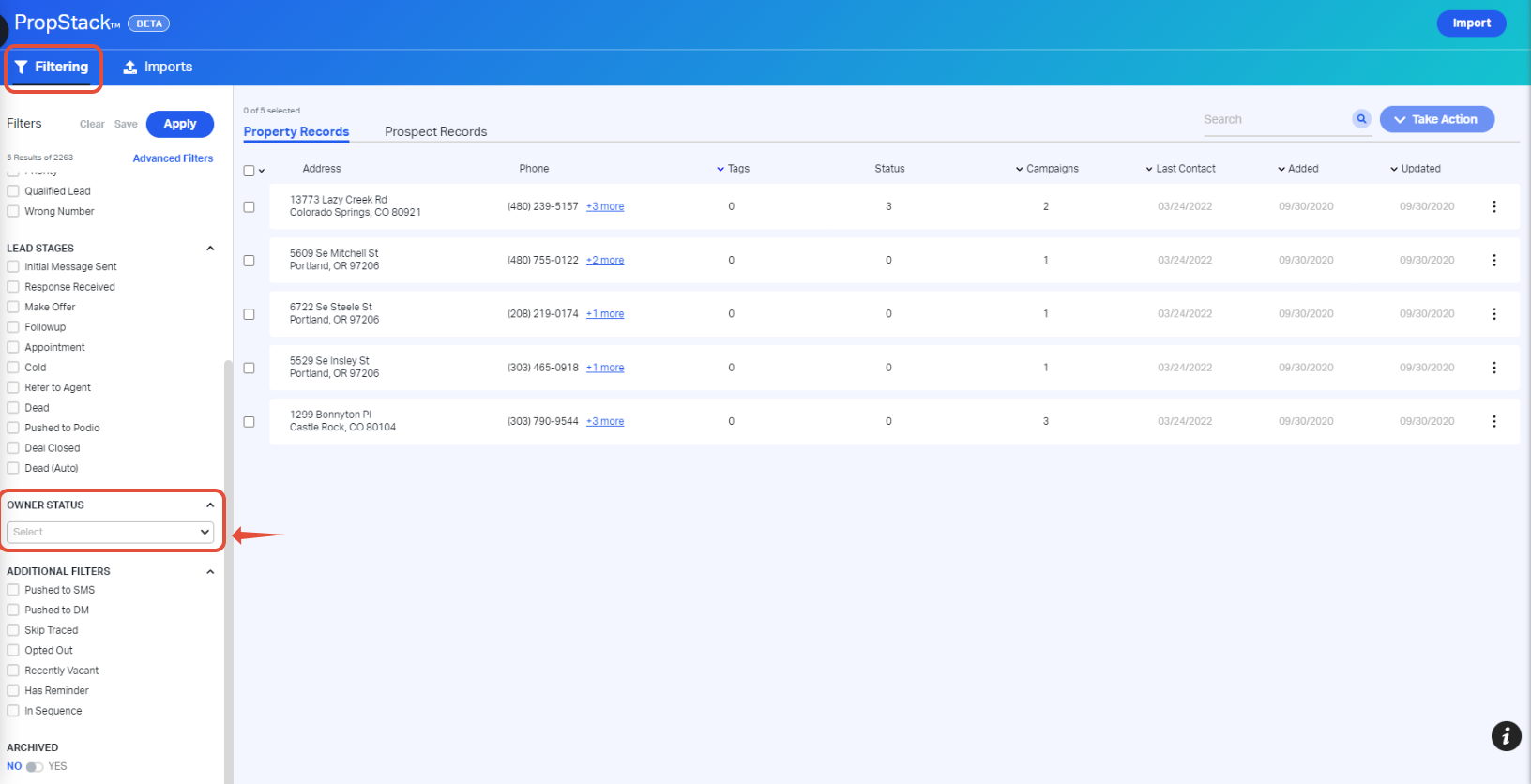
- Locate the Filtering tab within PropStack™
- Scroll towards the bottom of the FIltering column and locate the Owner Status filter
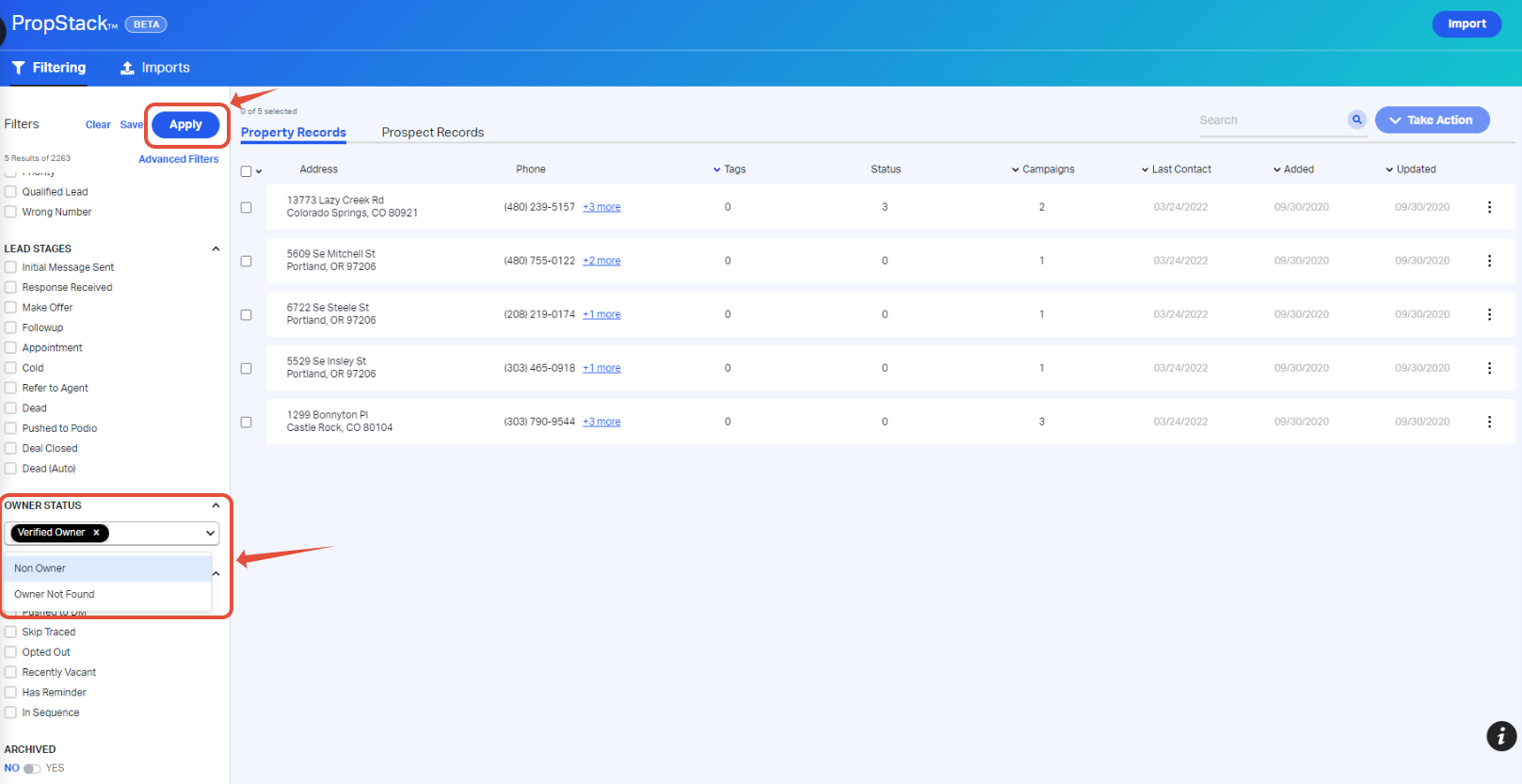
- Upon clicking on the Owner Status filter, the following status options will appear:
- Verified Owner
- Non Owner
- Owner Not Found
- Select the option that's applicable to your filter inquiry
- Review your selected filters and click Apply
Comments
Article is closed for comments.