
How to Create a Custom Property Tag:
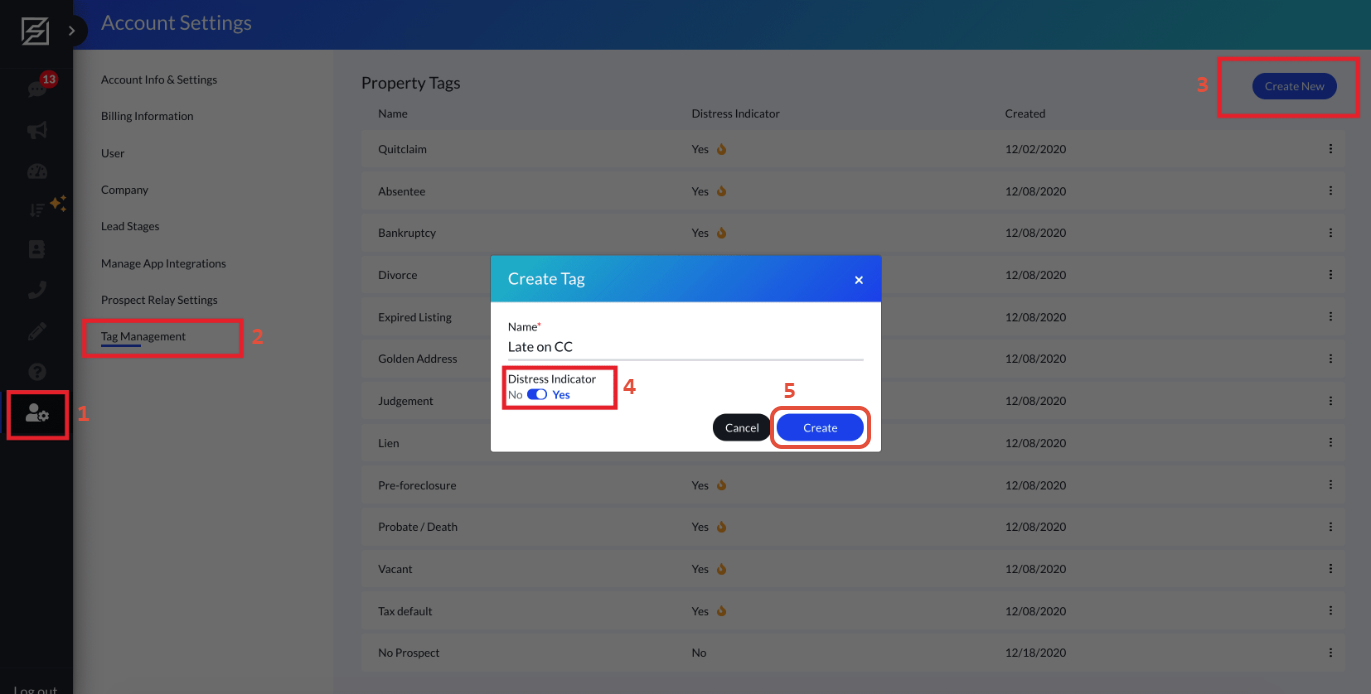
1. Navigate over to Account Settings -> Tag Management
3. Select "Create New"
4. Enter the desired name to be applied to your tag
5. Selected whether the given name should be defined as a "Distress Indicator"
6. After confirming your selection, selected "Create"
*Distress Indicators are tags that identify a property owner as experiencing levels of distress. This causes them to be more likely to sell. Users possess the option to filter via the range of a given distress indicator within their PropStack™.
Comments
Article is closed for comments.